


Templated Assets

Allow your team to create professional, on-brand videos effortlessly.

With our custom-designed video templates and assets,
your organisation can maintain brand consistency while saving time and resources.

Benefit of video templates

Cost Effectiveness

Minimise reliance on external video production teams.

Consistency

Maintain on-brand messaging across all videos.

Ease of Use

Drag-and-drop tools simplify content creation for everyone.

Efficiency

Reduce production time with reusable assets.

Scaleability

Empower large teams to create videos quickly and confidently.

Sustainability

Create once, reuse often.

What we offer:

Branded Drag and Drop Assets

Transparent video files or a Premiere Pro project file where you can drag and drop the relevant assets into place.

Drag & Drop is Perfect for:

Sharing with individuals who have limited video editing experience.

For adding commonly used assets to content.

To improve communication within newsletters, presentations and more.

Customisable MOGRT/Motion Template Files

Premiere Pro Motion graphic templates that allow you to customise different elements, such as copy, colour, size, position and more.

Custom MOGRT’s Perfect for:

Small teams with editing software or a bit more experience, that want to:

Speed up the editing process.

Ensure all content is on brand.

Want to adapt parameters to their specific needs.

Video Creation Guidelines

A full set of internal or external live and and/or animation guidlines. Created to align with your current or new assets.

Video Guidlines Perfect for:

Larger teams or organisations with diverse stakeholders/ work with external suppliers.

Enhance communication and job satisfaction in video-related roles by providing clear, standardised guidelines.

The Process

Free Consultation

Free consultation call to determine what is most suitable for you, based on objectives, software and resources available.

In addition, going through our checklist to understanding the full scope of what you’d like to include.

Proposal

You’ll receive a proposal with a full breakdown of all included services.

Scope Flexibility

As the project begins and progresses we can increase and decrease the scope of work if things change.

Training

Once complete we can provide a training session or training demo video to ensure all the assets are being used in the correct way.

Demo

Get a behind-the-scenes look at how our templated asset service works.

Case Study

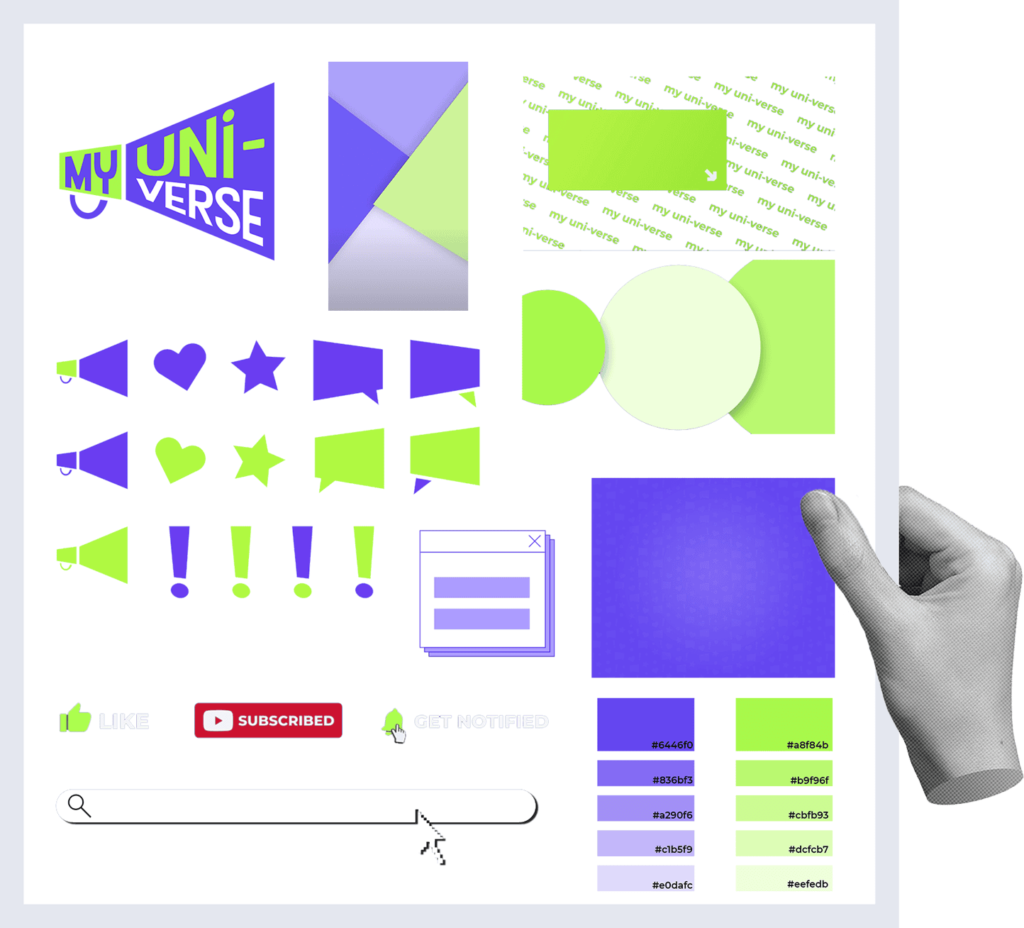
For My Uni-verse motion graphic templates and drag-and-drop assets were both created for an influencer marketing channel.

Both drag and drop and MOGRT’s were provided to support the influencers differing experience levels and differing video software.

As a result of these templates:

Delivery time decreased

Re-edits halved

Content creator’s satisfaction increased

More time for additional creativity

The brand was consistent

Followers increased
Our clients friends

Frequently Asked Questions

How much does it cost?

We offer drag-and-drop assets, custom MOGRTs (Motion Graphics Templates), and video brand templates designed to maintain consistency in your organization’s visual identity. These can be used by your in-house team or external partners to create high-quality, on-brand videos efficiently.

Drag-and-drop assets can work across any editing platform. But will will design them to be as functional as possible for your designated platform.
We create our motion graphic templates using Adobe Creative Cloud suite and the final MOGRT files will be compatible with Adobe Premiere Pro. We can also tailor solutions for other platforms based on your team’s workflow.

Absolutely! We design templates based on your brand’s colors, fonts, and style guidelines, ensuring that every video aligns with your company’s identity while allowing flexibility for your team.

By providing pre-built, easy-to-use assets, your team can quickly create professional videos without starting from scratch. This reduces editing time, eliminates inconsistencies, and ensures brand compliance across all content.

Assets will still be usable as software updates.
We can offer ongoing support and updates where required, allowing you to refresh your templates as your brand evolves. Whether you need new graphics, animations, or modifications, we can ensure your assets stay relevant and effective.

We have created a handy cost calculator for you to get a bespoke cost for your needs. 

We also offer a limited number of free strategy sessions, to provide you with a plan to maximise the impact based on your budget. Get in touch to see if we have any slots left for this quarter.

If you want to discover more

If you have any further questions, we created a handy ‘how it works’ page, so you can feel confident that we are a good fit for one another.

Prefer to speak with us?

Drag and Drop Assets

  • Logo animation
  • Shape transitions
  • Social media overlays
  • Dynamic backgrounds
  • Motion icon loops
  • Colour grading LUT’s
  • Animated stickers

Motion Graphic Template Assets

  • Titles and text
  • Text call outs
  • Transitions
  • Timers and graphs
  • Countdowns and progress bars
  • Dynamic backgrounds
  • Intro and outro’s video
  • Effects callouts and pointers
  • Social media content agenda’s / data visualisation
  • Event-specific MOGRTs

Video Creation Guidlines

The following list will vary based on each of your product/service types and distribution channels. This scope is defined during the initial free consultation.

Live Action

Production

  • Tone and style
  • Framing, composition, frame rate
  • Lighting style camera movement
  • Environment setup
  • Voiceover style
  • Post-production
  • Colour grading
  • Audio
  • Resolution
  • Titles and text
  • Editing style
  • Subtitle style
  • Music style
  • End frames/ call to actions

Animation

  • Storyboarding and narrative template
  • Colour palette line weighting and style consistency
  • Animation styles
  • Character and asset design
  • Typography library of animated assets
  • Transitions sound effects
  • Logo animation templates